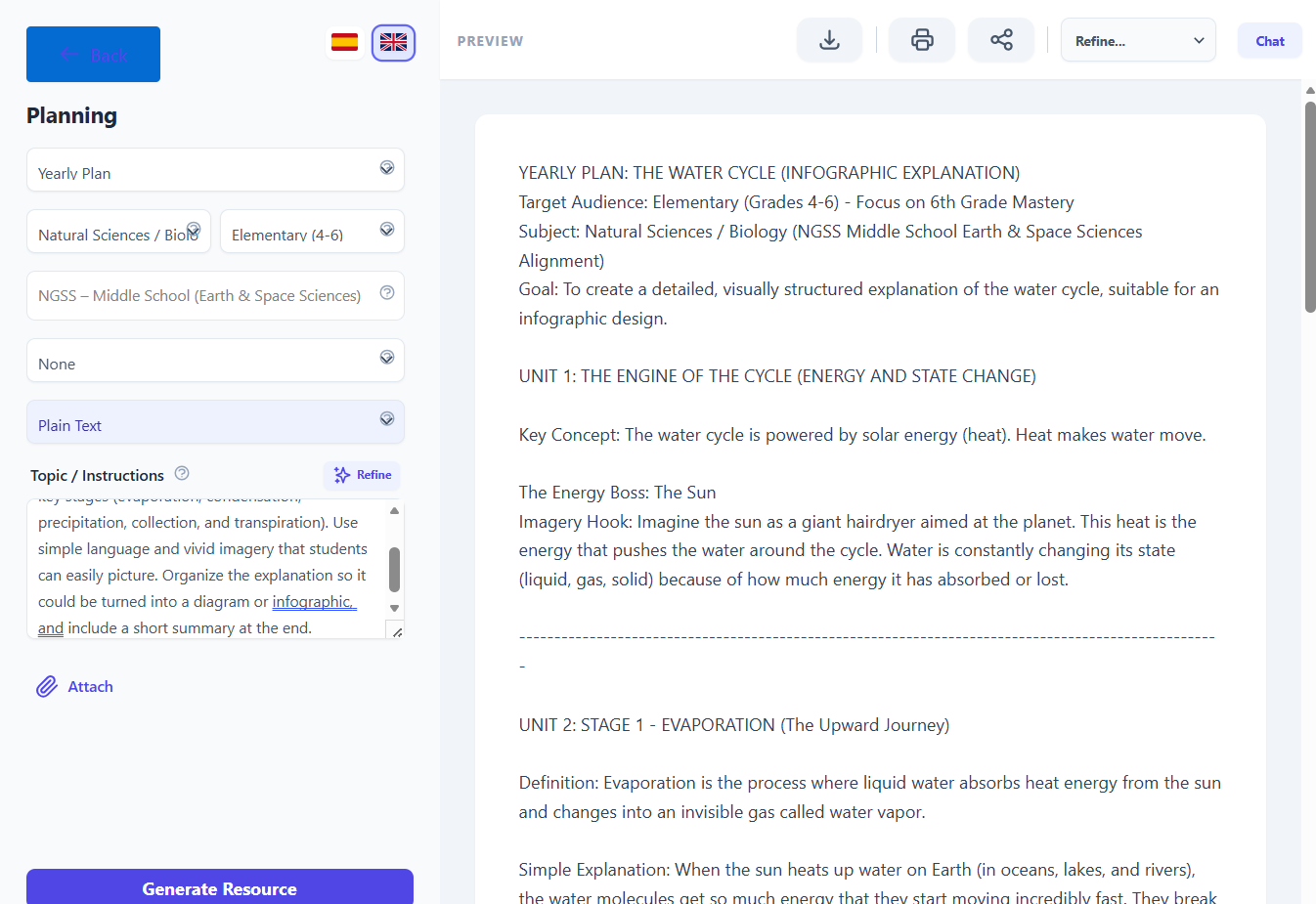
Step‑by‑step tutorial
Use case: “I need a visual explanation of the water cycle for 6th grade.”
1. Open Didaktos and go to Planning
- Log in to Didaktos.
- From the main menu, click “Planning”.
- On the Planning screen, select “Yearly Plan”.
2. Set curriculum, grade, and subject
-
Curriculum dropdown:
Click the first “Type…” field and choose “NGSS – Middle School (Earth & Space Sciences)”. -
Grade dropdown:
Click the second “Select…” field and choose “6th Grade”. -
Subject dropdown:
Click the third “Select…” field and choose “Natural Science”. -
Format dropdown:
Make sure “Plain Text” is selected.
3. Write the topic / instructions
- Click inside the “Topic / Instructions” text box.
-
Type the following (or something very similar):
Create a clear, visual explanation of the water cycle for 6th‑grade students. Include and define key stages (evaporation, condensation, precipitation, collection, and transpiration). Use simple language and vivid imagery that students can easily picture. Organize the explanation so it could be turned into a diagram or infographic, and include a short summary at the end.
-
Optionally, add constraints such as:
- “Keep the explanation under 300 words.”
- “Focus on real‑world examples.”
- “Avoid technical jargon.”
4. (Optional) Attach supporting files
- Click the “Attach” button.
- Select a file from your computer (diagram, worksheet, previous lesson).
- Confirm the upload so the file is linked to this planning request.
5. Choose language
- At the top right, click “English” so the explanation is generated in English.
- If you later want a Spanish version, switch to “Spanish” and regenerate or request a translation.
6. Generate the visual explanation
- Review all fields:
- Curriculum: NGSS – Middle School (Earth & Space Sciences)
- Grade: 6th Grade
- Subject: STEM / Science
- Format: Plain Text
- Topic / Instructions: Your detailed request about the water cycle
- Click the “Generate Resource” button.
- Wait a few seconds while Didaktos creates the explanation.
7. Review and refine the result
-
Read the generated explanation and check that it:
- Includes evaporation, condensation, precipitation, collection, and transpiration.
- Uses visual and descriptive language.
- Is appropriate for 6th‑grade students.
-
If needed, refine with follow‑up prompts, for example:
- “Add a simple diagram description.”
- “Include a short comprehension check.”
- “Rewrite using simpler vocabulary.”
8. Save, export, or reuse
- Save the explanation inside Didaktos (e.g., “Save” or “Add to library”).
- Export as PDF, Word, or copy it into your LMS or slides.
- Tag it as “Water Cycle – STEM – 6th Grade” so you can reuse or adapt it later.